
iPads on Black Friday 2026
As an Amazon Associate I earn from qualifying purchases. Some links may earn us a commission at no extra cost to you.
Black Friday falls on 27 November this year, and Amazon’s event usually opens the week before it. Rather than guess at numbers that do not exist yet, the boxes on this page pull whatever Amazon is charging at the moment you read them, so the figures stay right when the event starts. What is worth settling now is which iPad is worth buying at all, because the most discounted model is rarely the one to own. Two things decide that. The first is the chip: Apple Intelligence needs an A17 Pro or an M-series chip, which means the standard 11-inch iPad and every older model are shut out of it no matter what they cost. The second is storage, because you cannot add any later and the base tier is where most regret starts. So I score these on what you still own in three years rather than what comes off the price today.
Top picks
Apple iPad 11-inch A16, 128GB — Best for most people

Why it wins: Thirty thousand ratings and ten thousand sold a month make this the default iPad, and the one most likely to be discounted heavily because Amazon stocks it in volume. For reading, video, browsing, school work and drawing, the A16 is more chip than the job needs.
Pros
- By far the largest owner base of any iPad on this page
- Enough performance for everything outside heavy video and 3D work
- 128GB is double the old base tier, which removes the worst of the storage problem
- Touch ID in the top button rather than a notch
Cons
- A16 cannot run Apple Intelligence, and no future update will change that
- Wi-Fi 6 rather than the Wi-Fi 7 in the Air and Pro
- Laminated-display fans will notice the small gap under the glass
Skip it if: you want the Apple Intelligence features, which need a different chip entirely.
Scores: Value 5/5 | Years of life left 4/5 | Storage headroom 4/5 | Performance 4/5
Apple iPad 11-inch A16, 256GB — Best storage upgrade
Why it wins: The same tablet with twice the room, and the upgrade worth taking if you keep films for flights, shoot video, or hand the thing to children who install everything they see. Storage is the one specification you cannot revisit, so it is the one place where paying up front actually saves money.
Pros
- Doubling storage costs far less than replacing the iPad early
- Five thousand sold a month, so it discounts alongside the 128GB
- Identical in every other respect to the pick above
Cons
- Same A16 limitation on Apple Intelligence
- Overkill if you stream everything and store nothing
Skip it if: your current tablet has never warned you about space.
Scores: Value 4/5 | Years of life left 4/5 | Storage headroom 5/5 | Performance 4/5
Apple iPad Air 11-inch M4, 128GB — Best for real work
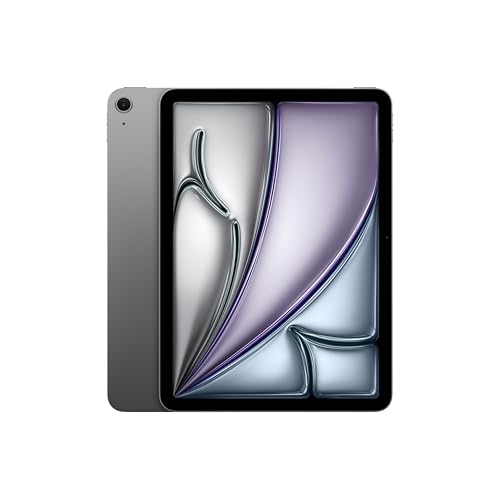
Why it wins: The M4 is the point where an iPad stops being a consumption device. It runs Apple Intelligence, handles Stage Manager with an external display, and chews through photo and video editing that makes the base model hesitate. Three thousand a month says plenty of people have reached that conclusion.
Pros
- M-series chip, so Apple Intelligence works and will keep working
- Laminated display with no air gap, which matters if you draw
- Wi-Fi 7 and a newer wireless stack than the base iPad
- Noticeably longer useful life than the A16 models
Cons
- Costs meaningfully more than the standard iPad for gains many never use
- Under a thousand ratings so far, a thin record next to the base model
- 128GB is tight for a machine you intend to edit on
Skip it if: your heaviest task is streaming and email, where the base model does the same job.
Scores: Value 4/5 | Years of life left 5/5 | Storage headroom 3/5 | Performance 5/5
Apple iPad Air 13-inch M4, 128GB — Best big screen without Pro money
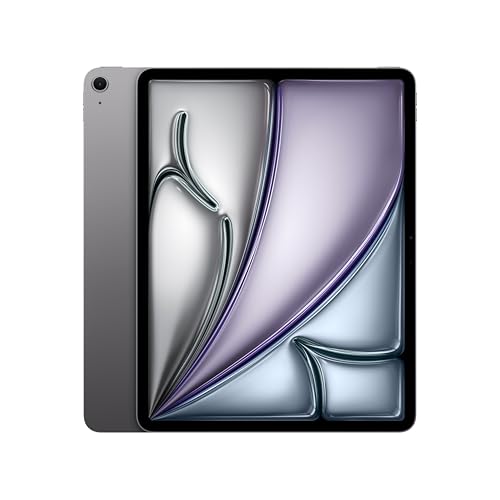
Why it wins: Thirteen inches changes what the device is for. Two documents side by side become readable rather than theoretical, and sheet music, comics and technical drawings stop needing a pinch-zoom. It costs well under the 13-inch Pro while using the same M4 as the smaller Air.
Pros
- Largest screen here outside the Pro line
- Same M4 chip and Apple Intelligence support as the 11-inch Air
- Side-by-side apps are genuinely usable at this size
- Cheaper route to 13 inches than the Pro
Cons
- Heavy enough that one-handed reading stops being comfortable
- Smallest review base of the current models here
- 128GB on a device this capable fills quickly
Skip it if: you mostly use a tablet in bed or on a commute, where the weight tells.
Scores: Value 4/5 | Years of life left 5/5 | Storage headroom 3/5 | Performance 5/5
Apple iPad mini A17 Pro, 128GB — Best small iPad

Why it wins: The cheapest way into Apple Intelligence, because the A17 Pro clears the bar that the larger standard iPad does not. At 8.3 inches it is the only model that fits a coat pocket or a one-handed grip, which makes it the reader, the flight companion and the co-pilot tablet.
Pros
- Runs Apple Intelligence despite being the smallest model
- Genuinely portable in a way no other iPad is
- A few thousand ratings, a solid record for a niche size
- Full Apple Pencil Pro support for notes on the move
Cons
- Screen is too small for split-screen work or drawing in detail
- Costs more than the much larger standard iPad
- Typing on it realistically needs an external keyboard
Skip it if: this is meant to replace a laptop, where the size works against you.
Scores: Value 3/5 | Years of life left 5/5 | Storage headroom 4/5 | Performance 4/5
Apple iPad Pro 11-inch M5, 256GB — Best performance per inch
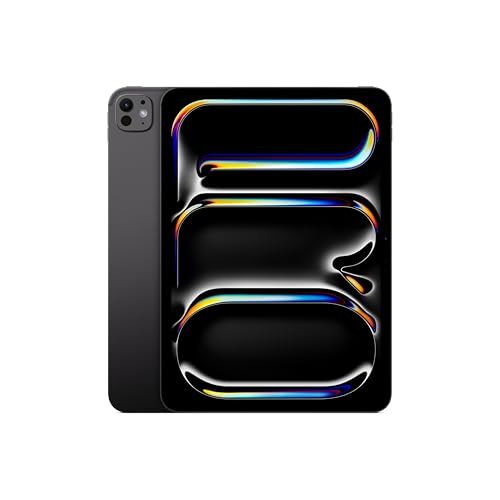
Why it wins: The M5 and an Ultra Retina XDR panel in the portable size. The display is the real reason to pay: proper blacks and sustained brightness that the Air’s panel cannot match, which matters for colour work and for anything watched in a bright room.
Pros
- Fastest chip in the lineup, with headroom for years
- Ultra Retina XDR display, clearly better than the Air panel
- 256GB as standard rather than an upsell
- Face ID and LiDAR included
Cons
- Costs more than twice the standard iPad
- Most buyers never load the M5 heavily enough to notice it
- Accessories for it are priced to match
Skip it if: you cannot name the specific task that needs an M5.
Scores: Value 3/5 | Years of life left 5/5 | Storage headroom 4/5 | Performance 5/5
Apple iPad Pro 13-inch M5, 256GB — Best for creative work
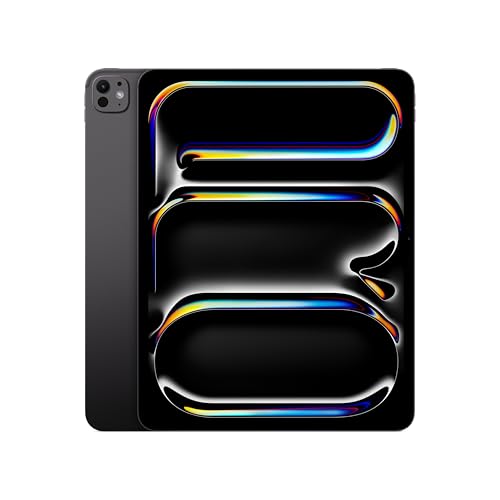
Why it wins: The largest and most capable iPad made, and the only one that makes sense as a primary machine for illustration, video or music production. If the tablet is the tool you earn with, this is where the money stops being discretionary.
Pros
- Biggest Ultra Retina XDR display Apple ships
- M5 handles timeline editing and large canvases without stalling
- 256GB base and fast external drive support
- Pencil Pro and Magic Keyboard turn it into a workstation
Cons
- The most expensive option here by a wide margin
- Too large and too heavy for casual couch use
- Keyboard and pencil add substantially to the total
Skip it if: the iPad is a second screen rather than the one you work on.
Scores: Value 3/5 | Years of life left 5/5 | Storage headroom 4/5 | Performance 5/5
Apple iPad 11-inch A16, 128GB with 5G — Best for working away from Wi-Fi

Why it wins: The highest average rating of any iPad in this search, at 4.8, on the configuration that removes the tethering dance. If you work from trains, sites or cafes, a built-in connection is the difference between using the tablet and carrying it.
Pros
- Best average rating of any model on this page
- Connects without draining a phone battery for hotspot duty
- eSIM setup rather than hunting for a tray and a pin
Cons
- Adds a monthly data plan on top of the purchase
- Same A16 ceiling, so still no Apple Intelligence
- Pointless if the tablet rarely leaves the house
Skip it if: your iPad lives on the sofa, where Wi-Fi is already there.
Scores: Value 4/5 | Years of life left 4/5 | Storage headroom 4/5 | Performance 4/5
Apple iPad 10.2-inch 2021, 64GB, Renewed — Cheapest way in, with caveats

Query it carefully: Ten thousand of these sell a month because the figure on the listing is a fraction of everything above, and for a child’s drawing tablet or a kitchen recipe screen that can be the right call. Be clear about what you are buying: a 2021 machine with an A13 chip, refurbished by a third party rather than Apple, on the oldest hardware here.
Pros
- Lowest entry point to iPadOS of anything on this page
- Ten thousand sold a month, so the supply and the grading are well tested
- Perfectly adequate for video, reading and light browsing
- Sensible choice where damage or loss is likely
Cons
- A13 chip is the oldest here and closest to the end of Apple’s support window
- 64GB fills fast once iPadOS and a few apps are installed
- Renewed means third-party refurbished, so battery health varies by seller
- No Apple Intelligence, and no path to it
Skip it if: you want the tablet to still be getting iPadOS updates in a few years.
Scores: Value 5/5 | Years of life left 2/5 | Storage headroom 2/5 | Performance 2/5
Quick compare
- Most people: iPad 11-inch 128GB, no Apple Intelligence
- More storage: iPad 11-inch 256GB, same chip ceiling
- Real work: iPad Air 11-inch M4, costs well above the base model
- Big screen: iPad Air 13-inch M4, heavy for handheld use
- Smallest: iPad mini A17 Pro, too small for split-screen work
- Performance: iPad Pro 11-inch M5, more chip than most need
- Creative work: iPad Pro 13-inch M5, priciest here
- Away from Wi-Fi: iPad 11-inch 5G, needs a data plan
- Cheapest: renewed 2021 iPad, oldest chip and smallest storage
Three things worth settling before the event opens. Decide your storage tier first and treat it as fixed, because it is the only specification you can never change and the step up costs far less than replacing the tablet a year early. Check the chip against what you actually want: Apple Intelligence needs an A17 Pro or M-series, so a heavily reduced standard iPad will never run it, and that is a more useful filter than the size of any reduction. And watch the older and renewed listings with clear eyes, since an old iPad is only a bargain while Apple is still updating it, and the cheapest listings are usually the models furthest through that window. Prices on this page come straight from Amazon and change as the event runs, so check the box rather than any figure you read in an article.
As an Amazon Associate, I earn from qualifying purchases.